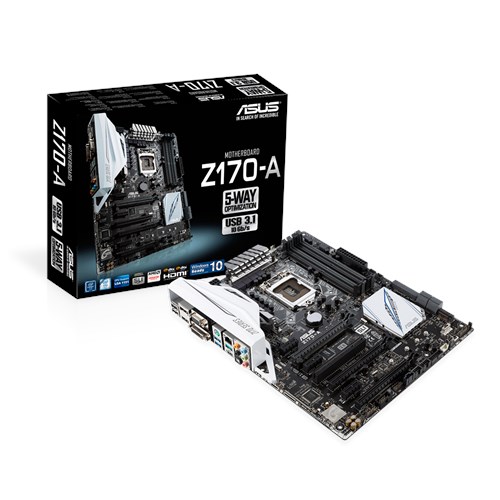
A mid-budget Z170 overclocker's solution from Asus, feature laden with up to date capabilities like NVMe M.2 support, USB3.1, certified multi-GPU support, both AMD Crossfire and Nvidia SLI etc.
Back in late 2015, an unofficial BIOS (ver. 0050) which supports non-K Skylake overclocking was released but since then, Intel has tried to stuff the genie back into the bottle with new locked BIOS releases.
What Asus says...
Visually, it has a very nice appealing appearance with a modern black and white theme especially with the current fad of including a huge extraneous plastic i/o shroud which should greatly improve your fps gaming performance by imperceptible amounts.

It also features Intel® I219V G.LAN and ASMedia USB3.1.
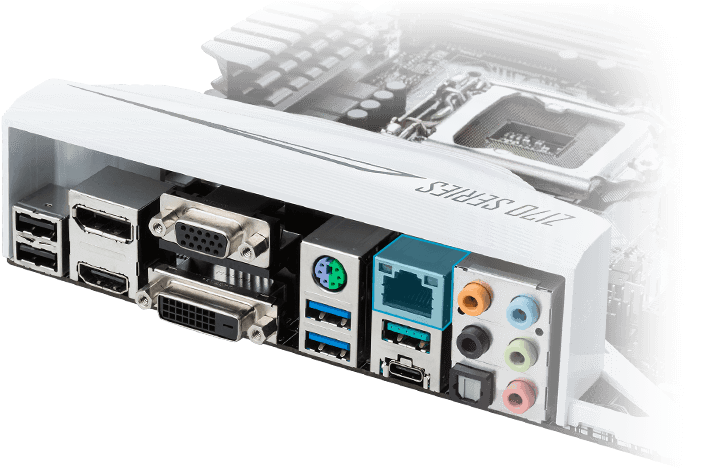
Photo Highlights
Just a note for those with humongous CPU coolers.
Meanwhile ignore the Foxconn socket cap cos an oversight meant this particular mobo sample somehow was sent out uncapped and in any case, it does not have a Foxconn socket kit (more on this later). Undoubtedly, the retail set should come properly equipped.

Heatsink Anchoring
Slim heatsinks with push pins, at least they are finned in some way.


Screw mounting for the Southbridge, also showing the M.2, front SATA3 and USB3 ports.

M.2 x4 port supporting 2242/2260/2280/22110 formats.

Asus Crystal Sound
Sporting the budget older generation Realtek ALC892 beneath.

CPU Socket
Less than full SMD caps present and surprise, surprise... a ne'er seen before Kuangying LGA1151 mounting solution in place of the usual Foxconn/Lotes part. Go ahead and google for this little nugget across all the Asus Z170-A web reviews, it does not seem to be mentioned at all.
More aggressive budget cuts indeed, also leaves me wondering what an actual Kuangying socket cap looks like too.

Trace lines are coming rather close to the mounting socket holes so do take care there.

Non-K BIOS 0050
This sample came with a factory BIOS of 0506 dated July 2015 so it was immediately QFlashed to 0050 dated Dec 2015. You really have to be very very patient during the flash process as the mobo will auto-reset quite many times to sequentially update the BIOS, the ME firmware etc... in other words, don't kancheong, don't touch anything, just leave it well alone to contemplate on the meaning of life and eventually complete the whole flash update process.The very first thing to do once you have BIOS 0050 installed, even if you are running CPU@stock, is to disable all CPU power savings else you will get insta-freezing in any OS which has CPU power management. Actually, you can't even install Windows in the first place with the so called stock or optimised BIOS settings.
That took me a little while to realise and it was my trusty bootable Linux Mint flashdrive which finally helped me pinpoint the erroneous default BIOS setting... yes, Linux FTW - all time spent tinkering with Linux have been constantly rewarding so far! :)
Compared to previous generations, the Z170-A* time to POST from the cold seems perceptibly longer but thankfully, no double power cycling phenomenon is seen even when overclocked. Other BIOS versions/options can be tweaked to reduce this timing though.

* Z170 other known quirks like "BInitializeLibrary Failed 0xc000009a", thanks Intel!
UEFI
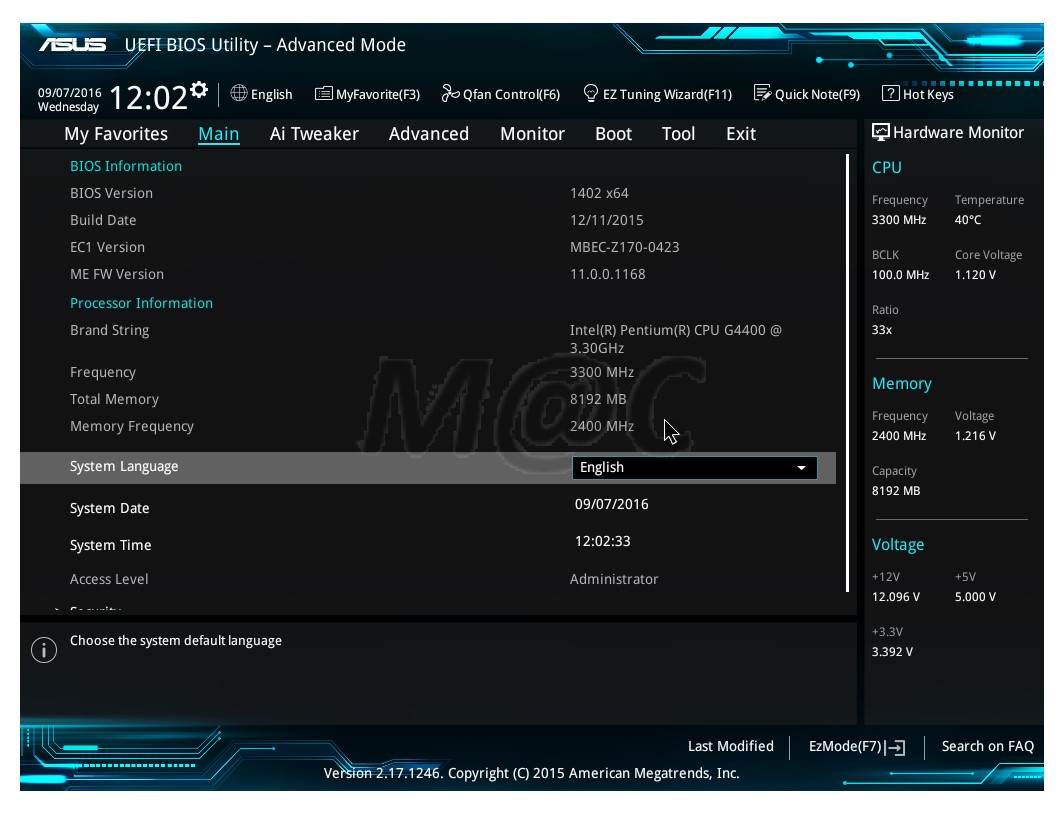
A sampling of the Asus graphical interface, it has improved over the years and is possibly the best in the business especially in user-friendliness and capability.


Non-K Overclocking - Done Cheaply...
This ~S$90 Pentium G4400 was bought as the de facto rough usage CPU eg. initial POST test, flashing new BIOS etc... eventually it will find a home in some compact mITX HTPC running some variant of OpenELEC in all probability ie. a pure consumption non-production rig.Setup - Asus Z170-A@0050 non-K BIOS, 'locked' Pentium G4400, Sapphire HD6670 discrete GPU, 2 x 4GB Crucial Sports Ballistix DDR4-2400, SilverStone ST45SF-G PSU, Crucial M550 SSD
And since this is meant to be a budget lovo non-K oc test build... seems pointless spending disproportionately more on 3rd party components like an expensive over the top HSF. However, instead of using the stock skimpy Intel full aluminium pancake HSF, I opted for another 'freebie' from a few generations back - the unused stock skimpy Intel copper core pancake HSF from my good ol' Sandy i5-2500K.
Not sure if it helped much eventually but almost anything is better than what Intel is giving out these days... kaoz. With all that said, it is probably best to stick to lovo (low voltage) overclocking unless one is somehow willing to spend more for a better cooler.
Non-K Limitations
Bear in mind the following limitations (accompanying counter point in brackets)
- CPU DTS goes wonky reporting either nothing or a constant 100C (use hwinfo64 to read mobo onboard sensors instead)
- No C-states, CPUs always at full speed and full voltage (Pentiums consume very little power regardless)
- No Turbo mode (Pentiums lack Turbo anyway)
- No iGPU (Pentium G4400 has the crappiest Skylake HD510 iGPU anyway)
- Intel AVX is screwed (few apps use AVX and Pentiums lack AVX anyway)
- Avoid high memory clocks, around 2600 MHz is fine (siao boh... who pairs cheap Pentiums with expensive RAM???)
Stock Run
CPU-Z Bench


Not bad single core performance even at stock.

HEVC* Decode Bench
With HTPC as one of the intended usage for this CPU (likely on a m-ITX mobo instead), this is a most relevant benchmark. Pure CPU power decoding...

* What is HEVC?
~ 4GHz Run (FSB@120MHz)
Simply take the vcore used with a pinch of salt cos each CPU is binned differently. This CPU has a VID of 1.180v for both cores. I had started with an overvolt of 1.25v and then lowered it later to 1.20v when it appeared stable enough.And even at such low voltage settings for 4GHz, thermal issues began creeping in on heavier loads while overclocked begging the possibility of the copper cored Intel HSF being overwhelmed. So I double-checked its mounting... lo and behold, the Intel gray thermal paste had actually solidified (thanks Intel!) after all those years in storage causing the high temps. A rewipe and regrease really brought temps down greatly and we are quickly back in business!
CPU-Z Bench

AIDA64 Bench

Impressive single core performance from Gen. Skylake once overclocked... imagine top of class performance from a lowly Pentium.

HEVC Decode Bench
Total score points has jumped from 302 to 387, a ~28% increase. Amazingly, the budget CPU@4GHz faltered only at the very last hurdle, falling below the 30 fps pass mark at Ultra HD 2160p, 25Mbps - oh wow!
This is very encouraging for the longevity of Skylake CPUs in HTPC usage if the lowly dualcore Pentium can already perform so well at a mere 4GHz.

Even at this mild overclock, the budget Pentium is already performing very close to the i3-6100 in this test which costs roughly twice as much.

Speedtest.net
Ha, pretty decent numbers from a low cost CPU on a M1 1Gbps fibre connection. From past testing, the cost equivalent AMD APU chip has problems keeping up with this test even when overclocked.

Realbench v2.43
Just 1.20v needed, the oc CPU is commonly misidentified as i5-6600 as reported by several parties on the net.

Daily Usage
Surfing, Spotify streaming, downloading, Defence Grid 2 gaming etc... all temps are well within safe ranges.

BIOS Update
When one had all the fun one can have with non-K overclocking, simply flash to any new Intel sanctioned BIOS version (which are now oc locked down)... well, fun while it lasted. Just remember not to flash any updated BIOS versions if you still want to continue the non-K oc party.
Idle Power Consumption
With all CPU power management disabled, how much is a dualcore Pentium G4400@4GHz idling* at the wall - is anyone concerned?
Answer - 28W or less*, seems practically parsimonious enough to run 24/7 at 4GHz plus enjoy the superb system response with all power states disabled.

* Measured with vcore@1.25v
PS: Interesting forum discussion on non-K oc and SST
Official Asus BIOS
As can be expected, CPU power states work great with official Asus BIOS (1402 used here) as can be seen in the following K overclocking (a tale itself for another day) screenshots.


Remember to enable C8 for CPU Package state if you want the vcore to idle at 0V. However, hwinfo64 has this known habit of misreading the max vcore with C8 power state as can be seen in the last RealBench screenshot.
Here's a screenshot on 4.6GHz at C7s power state (no 0v vcore though) where the vcore is properly read by hwinfo64.

Initial Impressions
The Asus Z170-A motherboard performed brilliantly when it came to non-K bus overclocking of the Pentium G4400, even pushing the single core performance to tops of the class in Cinebench R15.The same can also be said of the overclocked Pentium G4400@4GHz which performed simply great overclocked with an old stock Intel copper core HSF. And there seems to be a lot of potential head room for more clocks too.
Overall, this combo is a practical 24/7 viable rig with low idle power usage, superb responsiveness and fantastic single core performance (as seen in Cinebench R15).
Hits!
- Nice aesthetic design and colour theme
- Superb user friendly UEFI BIOS
- Good overclocking viz. highly capable non-K bus overclock
- Full of up to date features eg. M.2, SLI/Crossfire certified
- Intel G.LAN
- USB3.1 Type C port
May be improved...
- SRP is relatively high in view of evident component cost cutting
- CMOS battery socket location for users of huge air coolers
- Erroneous stock enabled CPU power setting for ver. 0050 BIOS


