Asus B150i Pro Gaming/WiFi/Aura Motherboard
This is one of the latest Intel LGA1151 models introduced by Asus at CES January 2016, a full 5 months after Skylake's August 2015 debut.In keeping with the recent new bright and shiny RGB component fad from keyboards, video cards and now also over to the motherboards as well, Asus does not miss a beat with their trend setting Aura series.
Using the significantly lower cost business oriented B150* chipset on a mITX model makes much sense logically vs the enthusiast oriented Z170 as the stripped away esoteric features are less essential on the smaller form factor. This allows more of the build budget to redirected to other more relevant components like a faster gaming video card or more RAM in this aptly named Pro Gaming model.
* B150 Chipset features tabulated
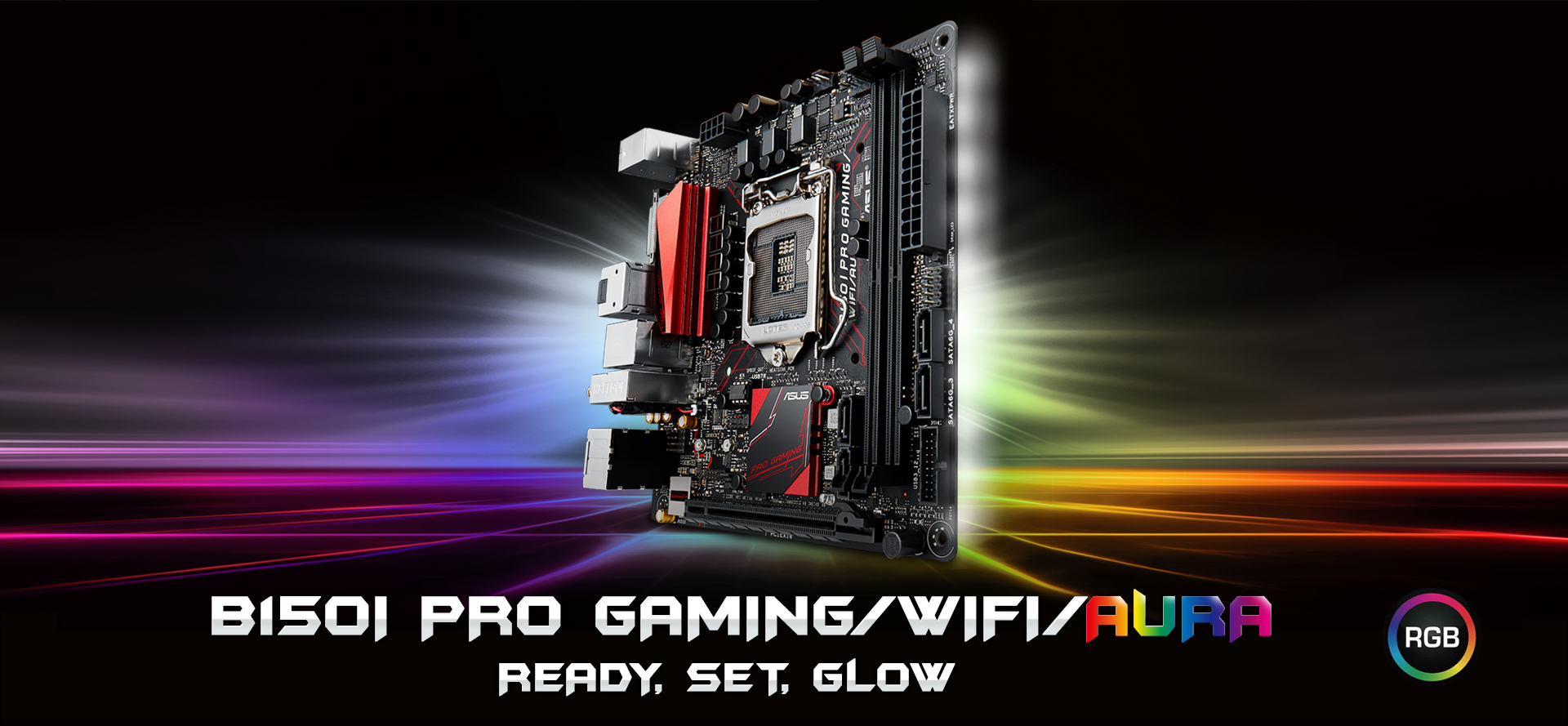
Just think budget oriented model in ROG red black theme colours embellished with RGB lighting effects and you have this pretty little mobo with the impossibly long double black slashed model name viz. the Asus B150I Pro Gaming/WiFi/Aura. Definitely a case of big name, small mobo and big aspirations!

What Asus says... (click!)
"Compact gaming punch with awesome RGB lighting"
- LGA1151 socket for 6th-generation Intel® Core™ i7 / Core i5 / Core i3, Pentium® and Celeron processors [aka Skylake]
- Dual-channel DDR4 2133 support [Max. 32GB]
- SupremeFX: Flawless audio that makes you part of the game
- Sonic Radar ll: Scan and detect your enemies to dominate
- Intel Gigabit Ethernet and LANGuard: Top-speed protected networking [Intel® I219V]
- RAMCache: Speed up your game loads
- Gamer's Guardian: Highly-durable components and smart DIY features
- 2x2 Wi-Fi with MU-MIMO and M.2: Ultra-speedy transfers for faster gaming [dual band 2.4/5 GHz]
- Supports HDMI with max. resolution 4096 x 2160 @ 24 Hz
The Aura RGB lighting effects include [11 effects total]
- Comet
- Flash and Dash
- Rainbow
- Wave
- Starry Night
- Glowing Yo-Yo
- and more...
Packaging
Vibrant colour printing on a slick black box is just so ROG like... the Pro Gaming series can probably be thought of as "looking like ROG" but without the hardcore performance features or the additional cost premium.

Unboxing
And the ROG like effect is continued inside with the all black cardboard boxes and with the colourful sticky labels among the bundled accessories.

The Mobo
Doesn't it look just beautiful, resplendent in its ROG inspired theme? Black PCB/components with metallic red accents.


The back i/o features the optical S/PDIF port that is getting harder to find on a budget oriented mITX model these days and woohoo, USB3 Type C port!

A feature packed busy motherboard in the tiny mITX form factor results in the M.2 port being relegated to the back of this model [M.2 Socket 3 for M Key, type 2242/2260/2280]

The array of multiple RGB LEDs as seen on the front edge on the back of the mobo

CPU socket exposed for a closer look, note the themed all black solid caps/chokes

Space constraint also has the CMOS battery wired and taped ie. not socketed, as is common on mITX models these days (gimme da good ol' socket anytime!)

SupremeFX audio with its isolation strip [Realtek ALC1150 codec] and MIJ Nichicon caps

The Pro Gaming theme metallic red-black heatsinks - VRM sink has metal screws while the SB sink has push-pin anchoring


Overall, the layout is very functional and effective though the SATA1 port potentially gets partially covered by larger CPU heatsinks. A CMOS battery socket would have been welcome too.
Powering On!
Not quite the Aurora Borealis/Australis but possibly as close as you can get on a mobo... this is the default LED dance* which happens once you supply mains power even without hitting the rig power button ie. standby mode.If you like kaleidoscopic myriad of colours with lots of DIY lighting effects, you should be very happy with the Aura series from Asus.
* LED light behaviour can be tailored to your liking within the UEFI BIOS as well as within Windows with the Asus Aura utility
The lack of a numeric debug LED on this mobo is mitigated in part by useful diagnostic spot LEDs scattered on the mobo aka Asus Q-LED (CPU, DRAM, VGA, Boot Device LED). Something is still definitely better than nothing especially in this case where the mobo is not for overclocking so there are fewer scenarios when things can go amiss.
UEFI Screenshots
Usual easy F12 UEFI screen capture feature aids in the invaluable sharing of setting information. Overall, you get the high standards expected of the modern Asus UEFI done in exact ROG colours.Note that even SupremeFX LED lighting (like the touted RGB LED lighting) gets its own UEFI option with 2 settings viz. Still or Breathing modes.
And don't get too excited about any UEFI options which may hint at overclocking like the DRAM frequency, they are merely cosmetic and work only at stock Intel sanctioned speeds ie. strictly DDR4-2133. Spend your money on anything else like faster CPU/SSD/Video but not on fast RAM, simply grab the prettiest and best value DDR4-2133 RAM to colour match your rig.


Test Setup
Asus B150I Pro Gaming/WiFi/Aura, i3-6100 cooled with Silverstone AR06, 2 x 4GB Crucial Ballistix Sport DDR4-2400 sticks, Sapphire R9 270x Toxic, SilverStone ST45SF-G, Win 10 x64 encased in a Silverstone FTZ01.Ambient - local Singapore air, non-aircon
More info on the test rig setup here, click!


The Sapphire R9 270X
Earlier, I had also installed an i5-6600K running on the HD530 iGPU, Win 7 x64/LibreELEC earlier which affords us an additional little peek. Personally still prefer operating systems with alpha transparency effects like with Aero in 7, XFCE in Linux Mint... just too bad that Win 7 is getting outdated cos the AMD Crimson installer immediately bombs out with a5 error every time installation is attempted with the R9 270X card in-situ.
Windows Screenshots
Latest 0402 UEFI BIOS was updated via Qflash, booted into Windows and downloaded a few utilities via the speedy 5GHz band with the onboard wifi in no time. Next onto CPU-Z and its quickie bench.Since everything runs only at stock on the B150 chipset as mandated by Intel ie. nothing can be overclocked thus whatever performance you get goes hand in hand with the components you throw in.
CPU-Z
Always nice to see the idle vcore at 0 volts, thanks to Intel power states and a proper PSU.


The interesting thing for the results on this mobo which simply pops out is that the i3-6100 is as fast as the i5-6600K in single core performance (1850 vs 1824) and only 36% slower (2 cores/HT 4174 vs 5675 4 cores/no HT) in multi-core, at half the price.
Cinebench R15


AIDA64
Cache & RAM bench

GPGPU Bench

Wired Intel G.LAN
the numbers look good

Daily Usage
surfing, downloading, unzipping, internet radio, UEFA Euro 2016 etc...

HEVC* Decode Benchmark (Cobra) v1.61
With HTPC as one of the intended usage of this setup, installed one of my spare discrete low power video cards (AMD HD 6670) and the stock Intel HSF just for the fun of trying it out. Pure CPU power decoding...
* What is HEVC?
S3 Sleep
For those who put their HTPC to sleep so that it can insta-resume for media play, S3 sleep & resume does work as reported by the Windows Event Viewer below.
Then again, with boot SSD usage these days, boot up/last BIOS time is usually measured in just seconds (~14s shown below) so...

Asus Aura
The specialised utility which allows setting all those different LED modes tailored to your mood of the day and time. Latest version from Asus support website reports as version 0.0.02 from January 2016 (apparently early days still).

LibreELEC (Jarvis) v7.0.0 Screenshots
This new XBMC inspired HTPC oriented OS was released just a while ago, click for more info!
The Aura boots off the LibreELEC 7 flashdrive into the OS successfully without fuss. Though the onboard Bluetooth is detected OK by default, the wifi is probably too new and currently not detected. Once wifi driver support is settled on LibreELEC in time, this mobo should make a really excellent choice for a mobile compact HTPC with its feature rich specifications. Else simply add a cheap USB wifi stick if you need it now.


Linux Mint
Some users say there is yet only minimal Skylake support in the 4.4 kernels so till date I have put off trying out Linux Mint, a real pity for this really beautiful OS!
Update 30/06/2016 - latest Linux Mint 18 (4.4 kernel), codename Sarah is now out! So Linux users, maybe you can give this a try if you are a true die hard... click!
Initial Impressions
The B150i PG WiFi Aura comes across as a very pretty and well thought out compact mobo with Asus highly honed design and its wonderful UEFI BIOS. The majority of non-hardcore PC users should be very happy with the Aura at the heart of their small form factor PC or HTPC.Being restricted by Intel to running at strictly stock speeds, it obviously can't match the finesse or performance level of its higher priced ROG brethren but that does not stop it from trying... and successfully masquerading as one as long as you are not hoping to overclock anything.
Price wise locally, you have to fork out an additional >30% for the Asus Z170i Pro Gaming and a blood chilling >90% for the Z170i ROG models respectively. Thus comparatively for Intel Skylake mITX mobos, the B150i is definitely a much saner choice factor in terms of cost performance.
- Really pretty convincing ROG wannabe
- User friendly superb UEFI BIOS
- Multicolour LED with good control options
- Quality components which are HTPC geared esp. audio codec and outputs
- M.2 support
- USB3 Type C port (alas not USB 3.1)
- Aesthetic good sized heatsink on VRM mosfets
May be improved...
- SRP is relatively high
- CMOS battery socket


